

Every business will experience a data loss or system outage event. The question is not whether it will happen — it is whether you will be prepared when it does. Hardware fails, ransomware executes, natural disasters strike, and employees accidentally delete critical files. The businesses that survive these events are the ones that treated backup and disaster recovery as a strategic priority rather than an afterthought.
This guide provides a comprehensive BCDR framework including backup architecture, Recovery Time and Recovery Point Objectives, disaster recovery plan templates, and testing strategies.
What Is Backup and Disaster Recovery?
Backup and Disaster Recovery (BCDR) encompasses two related but distinct disciplines. Data backup is the process of creating and storing copies of data that can be used to restore original data after a loss event — hardware failure, accidental deletion, ransomware, or corruption. Disaster recovery is the broader process of restoring IT systems, applications, and operations after a catastrophic event that renders primary systems unavailable. BCDR combines both into a comprehensive business continuity strategy.
Key BCDR Metrics Every Business Must Define
Recovery Time Objective (RTO)
RTO is the maximum acceptable time between a disaster event and the restoration of business operations. For a business that cannot function without its IT systems — which describes most businesses in 2026 — the RTO might be measured in hours. For businesses with more manual alternatives, the RTO might be measured in days. Every business must explicitly define its RTO for each critical system and build its disaster recovery plan to meet those targets.
Recovery Point Objective (RPO)
RPO is the maximum acceptable data loss measured in time — how far back are you willing to go if you have to restore from a backup? An RPO of four hours means you are willing to accept losing up to four hours of data. An RPO of 24 hours means you are willing to lose up to one day of transactions, communications, and work product. Backup frequency must match your RPO. A daily backup cannot meet a four-hour RPO.
The 3-2-1-1 Backup Architecture
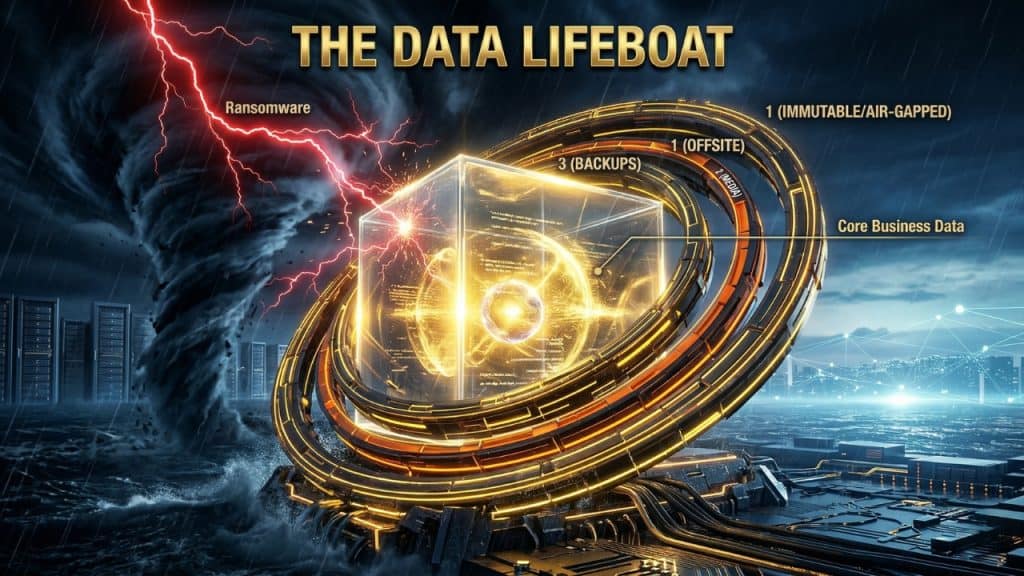
The 3-2-1-1 rule is the current gold standard for SMB backup architecture, incorporating lessons from ransomware attacks that specifically target backup systems:
- 3 Copies: Maintain at least three copies of your data — the primary production data plus two independent backups. If any single copy is compromised, two others remain.
- 2 Media Types: Store backups on at least two different types of storage media (for example, local disk/NAS plus cloud storage). This protects against media-specific failures.
- 1 Offsite Copy: Maintain at least one backup copy in a geographically separate location to protect against site-level disasters including fire, flood, and physical theft.
- 1 Offline or Immutable Copy: Maintain at least one copy that is air-gapped (completely disconnected from your network) or stored in immutable cloud storage (where data cannot be modified or deleted for a defined retention period). This copy survives even ransomware that specifically targets backup systems.
Backup Types and Technologies
| Backup Type | Description | RTO | RPO | Best For |
| Full Backup | Complete copy of all data | Medium | Matches schedule | Weekly baseline |
| Incremental Backup | Only changes since last backup | Slow (restore all incrementals) | Short (frequent) | Daily operations |
| Differential Backup | All changes since last full backup | Medium (faster than incremental) | Medium | Balance of speed/storage |
| Continuous Data Protection | Real-time replication of every change | Minutes | Near-zero | Databases, critical apps |
| Image-Based Backup | Complete system snapshot (OS + data) | Fast (bare metal restore) | Matches schedule | Server recovery |
| Cloud Backup (BaaS) | Automated cloud-hosted backup service | Hours (data-dependent) | Matches schedule | SMB overall data protection |
Disaster Recovery Planning: The DR Plan Template
A disaster recovery plan documents, in advance, the steps required to restore IT systems and business operations after a catastrophic event. Every DR plan should include the following components:
1. Business Impact Analysis (BIA)
The BIA identifies your critical business systems, quantifies the cost of their unavailability, and establishes RTO and RPO targets for each. It is the foundation of all DR planning decisions.
2. System Inventory and Dependencies
Document every system required for business operations, its dependencies on other systems, and its recovery priority. Systems should be classified as Tier 1 (recovery within hours), Tier 2 (recovery within 24 hours), or Tier 3 (recovery within 72 hours or longer).
3. Recovery Procedures
For each Tier 1 and Tier 2 system, document step-by-step recovery procedures in sufficient detail that any qualified IT professional — not just the person who wrote the plan — can execute the recovery under pressure. Include specific commands, credentials (stored securely), vendor contact information, and expected recovery times.
4. Communication Plan
Define who is notified when and how during a disaster event. Include internal stakeholders (executives, department heads, employees), external parties (customers, vendors, regulators), and external resources (your MSP, cyber insurance carrier, legal counsel, and law enforcement if applicable).
5. Testing Schedule
A DR plan that has never been tested is not a DR plan. Schedule tabletop exercises quarterly (walk through the plan without actually executing it), partial restore tests semi-annually (restore a non-critical system from backup to verify the process), and a full DR test annually (simulate a complete system failure and execute the full recovery plan).
| Expert Insight from PCRiver.com Every business owner says they have a backup until we ask three questions: When was it last tested? What is your RTO, and have you measured whether your backup meets it? Do you have an immutable copy that ransomware cannot reach? The honest answer to all three is usually the same: we are not sure. Those three questions are the starting point for every BCDR conversation we have. |
Frequently Asked Questions: Backup and Disaster Recovery
Q: How often should I back up my business data?
Backup frequency should match your Recovery Point Objective. For most businesses in 2026, a combination of continuous backup for databases and critical applications (RPO measured in minutes) and daily backup for file storage and email (RPO of 24 hours or less) is the appropriate baseline. Businesses in regulated industries or with high transaction volumes should target near-zero RPO for all critical systems using continuous data protection or synchronous replication.
Q: What is the difference between backup and disaster recovery?
Backup is the process of creating and storing data copies that can be used to restore lost or corrupted data. Disaster recovery is the broader strategy for restoring complete business operations — including systems, applications, network, and data — after a major outage or catastrophic event. Backup is a component of disaster recovery, but disaster recovery addresses much more than data: it covers system recovery, infrastructure restoration, communication protocols, and business continuity.
Q: Can ransomware delete cloud backups?
Ransomware can encrypt or delete cloud backups that are actively synced to an infected device (such as OneDrive or Dropbox sync). Immutable cloud backups — available from backup platforms such as Veeam, Datto, Acronis, and directly from AWS S3 Object Lock and Azure Immutable Blob Storage — cannot be modified or deleted during a defined retention period, regardless of whether the source environment is compromised. Immutable backups are now considered essential for ransomware resilience.
Q: How long should I retain backup data?
Retention requirements vary by industry, data type, and regulatory obligations. A common SMB baseline is 30 daily backups, 12 monthly backups, and 7 annual backups. Regulated industries typically have longer minimums: HIPAA requires retention of PHI for a minimum of six years; PCI DSS requires audit logs for 12 months. Define retention policies in writing, ensure your backup solution enforces them automatically, and review retention requirements annually as regulations evolve.
Q: What is a tabletop exercise for disaster recovery?
A tabletop exercise is a facilitated discussion in which key personnel walk through a simulated disaster scenario — ransomware attack, server room fire, data center outage — and discuss their response actions based on the written DR plan. Tabletop exercises do not require actually executing recovery procedures. They are designed to identify gaps in the plan, clarify roles and responsibilities, and ensure all stakeholders understand what to do when a real event occurs. CISA provides a free tabletop exercise toolkit for businesses at cisa.gov/tabletop-exercise-packages.
Conclusion: Your Business Survival Depends on Your BCDR Plan
Backup and disaster recovery is not an IT function — it is a business survival strategy. Every hour of unplanned downtime, every megabyte of unrecoverable data, and every customer notification about a breach that could have been prevented carries a price that far exceeds the cost of a proper BCDR program.
| Next Steps PCRiver.com provides backup as a service, disaster recovery planning, and BCDR testing as components of comprehensive managed IT services. Contact us for a complimentary backup assessment and RTO/RPO analysis. |
Sources and References
- National Archives and Records Administration data loss statistics — archives.gov
- ITIC Downtime Cost Survey 2024 — itic-corp.com
- Veeam Data Protection Trends Report 2024 — veeam.com
- Datto BCDR Report 2024 — datto.com
- CISA Tabletop Exercise Packages — cisa.gov
| Quick Summary: Business Backup and Disaster Recovery |
| 93% of companies that experience a significant data loss event and lack a tested recovery plan go out of business within one year, according to the National Archives and Records Administration. |
| The average cost of downtime for a small business is $427 per minute — meaning even a four-hour outage costs over $100,000 in lost productivity, revenue, and recovery expenses (ITIC 2024). |
| Backup and Disaster Recovery (BCDR) is a two-part discipline: backup protects your data; disaster recovery defines how you restore operations after a catastrophic event. |
| The 3-2-1-1 backup rule — three copies, two media types, one offsite, one offline/immutable — is the current gold standard for ransomware-resistant backup architecture. |
| Sources: National Archives and Records Administration Data, ITIC Downtime Cost Survey 2024, Veeam Data Protection Trends Report 2024, Datto BCDR Report 2024. |