
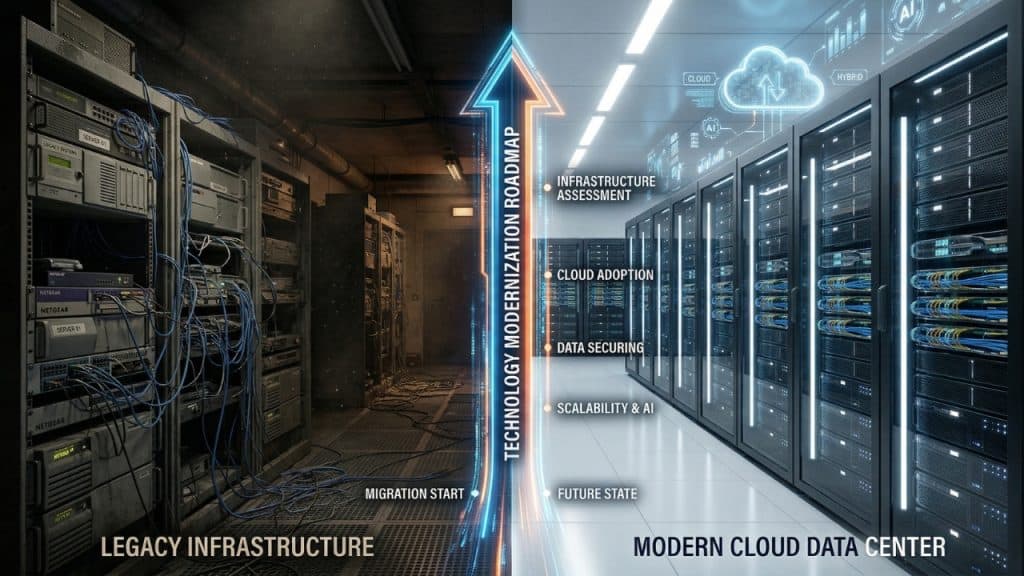

Legacy IT infrastructure is one of the most costly — and least visible — problems in small and mid-size business technology. Outdated servers, aging workstations, end-of-life software, and patchwork network configurations create security vulnerabilities, operational inefficiencies, and a growing technical debt that eventually demands a reckoning.
This roadmap guides business owners and IT decision makers through a structured, phased approach to IT infrastructure modernization that minimizes disruption, controls costs, and positions the business for sustainable growth.
What Is IT Infrastructure Modernization?
IT infrastructure modernization is the process of strategically replacing, upgrading, or re-architecting a company’s technology foundation — including servers, workstations, networks, storage systems, operating systems, and business software — to meet current performance, security, and operational standards. Modernization may involve migrating workloads to the cloud, consolidating physical hardware, adopting software-as-a-service (SaaS) applications, or implementing a zero-trust security architecture.
Modernization is distinct from routine maintenance. It is a strategic initiative designed to transform the technology foundation of a business, not simply repair what is broken.
Signs Your IT Infrastructure Needs Modernization
- Hardware is more than five years old or running end-of-life operating systems such as Windows Server 2012 or Windows 10.
- IT maintenance and reactive support consumes more than 60% of your technology budget, leaving little for growth initiatives.
- Performance complaints from employees are frequent — slow applications, system crashes, connectivity issues.
- Your backup and disaster recovery processes have not been tested or updated in more than 12 months.
- Cloud adoption is blocked by outdated network infrastructure or incompatible legacy applications.
- Cybersecurity tools cannot be deployed on aging hardware or unsupported operating systems.
- Compliance audits have identified infrastructure deficiencies that cannot be remediated without upgrades.
The IT Modernization Roadmap: 6 Phases
Phase 1: Assessment and Inventory (Weeks 1-4)
The foundation of any modernization initiative is a comprehensive understanding of your current state. Document every device, application, cloud service, and network component. Note the age, support status, performance, and business criticality of each component. Identify dependencies between systems. The output of this phase is a complete infrastructure inventory that forms the baseline for all modernization decisions.
Phase 2: Gap Analysis and Prioritization (Weeks 3-6)
Compare your current infrastructure against a target state defined by your business needs, security requirements, and compliance obligations. Identify gaps between where you are and where you need to be. Prioritize modernization efforts based on risk (security and compliance risks first), business impact (systems that affect revenue-generating operations), and cost-efficiency (consolidation opportunities that reduce complexity and spend).
Phase 3: Cloud Strategy and Architecture Design (Weeks 5-10)
Determine the appropriate cloud strategy for each workload: public cloud (AWS, Azure, Google Cloud), private cloud (on-premises virtualization), or hybrid cloud (a combination). Not every workload belongs in the cloud — some applications have latency requirements, compliance restrictions, or licensing constraints that make on-premises deployment more appropriate. Design your target architecture before making any procurement decisions.
Phase 4: Security Architecture Integration (Weeks 6-12)
Modernization is an ideal opportunity to implement a zero-trust security architecture from the ground up rather than retrofitting security onto aging infrastructure. Define your identity management approach (Active Directory, Azure AD, or Okta), endpoint security standards (EDR on all devices), network security design (next-generation firewall, network segmentation, DNS filtering), and data protection requirements (encryption, DLP, backup).
Phase 5: Phased Implementation (Months 2-9)
Execute modernization in phases, starting with the highest-risk and highest-impact components. A typical SMB modernization sequence: first, migrate email and productivity tools to Microsoft 365 or Google Workspace; second, refresh endpoint devices and deploy EDR; third, upgrade network infrastructure; fourth, migrate server workloads to cloud or modern virtualized infrastructure; fifth, implement backup and disaster recovery; sixth, complete security hardening and compliance validation.
Phase 6: Validation, Documentation, and Ongoing Management
Upon completion of each modernization phase, validate that the new systems perform as intended, security controls are functioning correctly, and backup and recovery processes work end-to-end. Document the new environment comprehensively. Establish ongoing management processes — patch management, performance monitoring, capacity planning — to prevent the new infrastructure from drifting into the same state as the legacy environment it replaced.
IT Modernization Cost Guide for SMBs
| Modernization Component | Estimated Cost Range | Cloud/SaaS Alternative | Typical Lifespan |
| Server infrastructure (per server) | $3,000 – $15,000 | Cloud compute: $100-$500/mo | 5-7 years |
| Workstation refresh (per device) | $800 – $2,000 | Virtual desktop (DaaS) | 3-5 years |
| Network infrastructure (firewall, switches) | $2,000 – $20,000 | SD-WAN / cloud networking | 5-7 years |
| Email & productivity (per user/year) | $150 – $400/user | Microsoft 365 / Google Workspace | Ongoing SaaS |
| Backup & DR solution | $1,000 – $10,000 | Cloud BaaS: $50-$300/mo | 3-5 years |
| Endpoint security (EDR) | $30-$80/device/year | Same (cloud-delivered EDR) | Ongoing SaaS |
| Expert Insight from PCRiver.com The most expensive IT modernization is the one that happens reactively — after a major failure, breach, or compliance violation. Proactive modernization, planned in phases over 12-24 months, consistently costs 30-50% less than emergency replacements and eliminates the business disruption that accompanies crisis-driven IT projects. |
Cloud Migration Considerations for SMBs
What Should Move to the Cloud
Email and collaboration tools, business productivity software, CRM and ERP systems, data backup and disaster recovery, and development and test environments are all strong candidates for cloud migration. SaaS alternatives for these workloads are mature, secure, and typically more cost-effective than on-premises alternatives for businesses with fewer than 200 users.
What May Stay On-Premises
Applications with high-volume local data processing requirements, latency-sensitive manufacturing or industrial control systems, applications with cloud-incompatible licensing, and workloads subject to data residency requirements may be better served by on-premises or private cloud infrastructure.
Frequently Asked Questions: IT Infrastructure Modernization
Q: How long does IT infrastructure modernization take for a small business?
A comprehensive modernization initiative for a small business (10-100 employees) typically takes 6 to 18 months when executed in phases. Scope, complexity, and available budget are the primary variables. A focused, high-priority modernization — such as email migration to Microsoft 365, endpoint refresh, and network upgrade — can be completed in 60 to 90 days. A full infrastructure transformation including server migration, application modernization, and security redesign typically takes 12 to 18 months.
Q: What is the biggest risk of IT modernization?
The biggest risk is business disruption caused by inadequate planning, insufficient testing, or poorly sequenced implementation. Migrations that move too many systems simultaneously, without proper rollback procedures, create dangerous single points of failure. The mitigation is a phased approach with thorough testing at each stage, clear rollback plans, and change windows scheduled outside peak business hours.
Q: Should I replace all my hardware at once or in phases?
Phased replacement is almost always preferable. Replacing all hardware simultaneously maximizes disruption and creates a concentrated capital expenditure that is difficult to budget for. A phased approach allows you to prioritize the highest-risk components, spread costs over multiple budget cycles, and learn from early phases before tackling more complex migrations.
Q: How do I calculate the ROI of IT infrastructure modernization?
ROI calculation should account for: reduction in maintenance costs (time and money spent supporting aging systems), reduction in downtime (cost per hour of downtime multiplied by incidents avoided), security risk reduction (expected value of breach costs avoided), productivity gains (employee hours recovered from performance-related delays), and compliance cost avoidance (fines and audit remediation costs avoided).
Conclusion: Build a Technology Foundation That Supports Growth
IT infrastructure modernization is not a cost — it is an investment in operational resilience, security posture, and business agility. Businesses that operate on modern, cloud-ready, security-hardened infrastructure spend less on maintenance, experience less downtime, respond to market opportunities faster, and defend against threats more effectively than businesses running legacy systems.
| Next Steps PCRiver.com provides complimentary IT infrastructure assessments that identify your modernization priorities and estimate the true cost of your current legacy environment. Contact us to schedule your assessment. |
Sources and References
- Gartner IT Spending Forecast 2024 — gartner.com
- IDC Digital Transformation Report 2024 — idc.com
- NIST Cybersecurity Framework 2.0 — nist.gov
- Microsoft Digital Transformation Index 2024 — microsoft.com
| Quick Summary: IT Infrastructure Modernization |
| IT infrastructure modernization is the systematic process of replacing or upgrading outdated technology systems — including servers, networks, software, and processes — with current, cloud-ready, and security-conscious alternatives. |
| Businesses running legacy IT infrastructure spend 60-80% of their IT budget maintaining old systems rather than investing in growth-enabling technology (Gartner, 2024). |
| The average business technology refresh cycle should be 3-5 years for hardware and 2-3 years for software to maintain security, performance, and vendor support. |
| A phased modernization approach reduces risk, controls costs, and minimizes business disruption compared to large-scale simultaneous replacements. |
| Sources: Gartner IT Spending Forecast 2024, IDC Digital Transformation Report 2024, NIST Cybersecurity Framework 2.0. |