
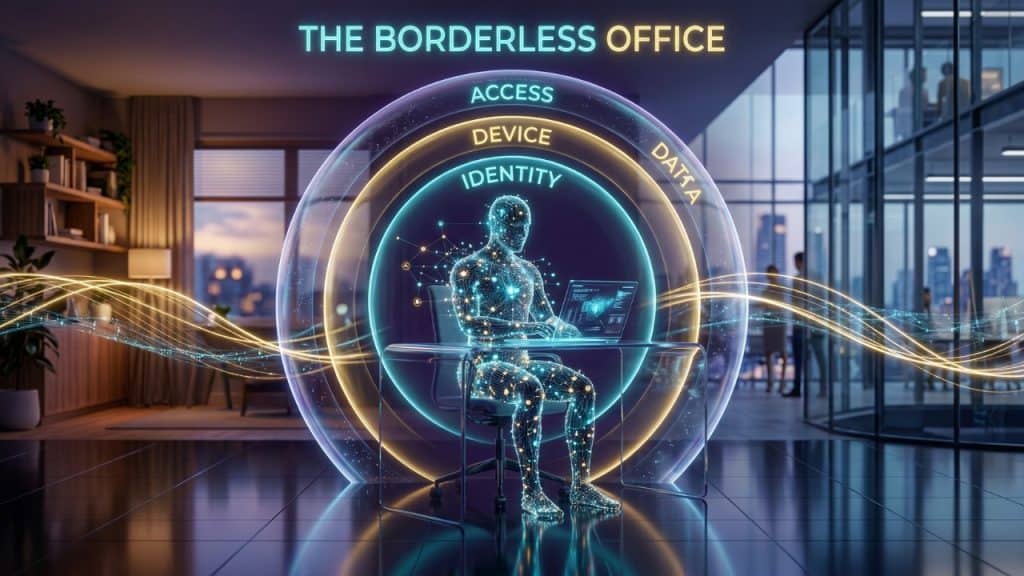

The shift to hybrid and remote work has permanently changed the security landscape for small and mid-size businesses. When employees work from home, coffee shops, hotels, and client sites, your business data travels with them — across networks you do not control, on devices you may not manage, through collaboration tools that blur the boundaries between personal and professional.
This guide provides a comprehensive hybrid work security framework that protects your employees and your data regardless of where work happens.
The Hybrid Work Security Challenge
The Expanded Attack Surface
Every remote employee is a potential entry point into your business. A home network with a vulnerable router, a personal device without endpoint protection, a shared family computer, or an unencrypted public Wi-Fi connection at a coffee shop — each creates an attack surface that simply did not exist when everyone worked from the office. The attack surface of a 50-person company with hybrid workers is exponentially larger than a 50-person company with all employees in a single office.
The Visibility Gap
Security teams (or MSPs) cannot see what happens on home networks. Employees connect through ISP-provided routers with default passwords, unpatched firmware, and no threat detection capability. Network-based security controls — firewalls, network monitoring, intrusion detection — that protect office environments have no visibility into what happens between a remote employee’s device and the cloud applications they access.
The 4-Layer Hybrid Work Security Framework
Layer 1: Endpoint Device Security
Every device used to access company resources — company-owned or personal — must meet minimum security standards. Deploy EDR (Endpoint Detection and Response) on all managed devices. Implement Mobile Device Management (MDM) to enforce security policies, enable remote wipe capability, and ensure device encryption is active. For personal devices (BYOD), implement containerization solutions that separate personal and corporate data on the same device without requiring access to personal content.
Layer 2: Identity and Access Security
Strong identity verification is the most important hybrid work security control because you cannot rely on network location to determine trustworthiness. Implement MFA for all employees accessing company resources remotely. Configure Conditional Access policies that assess device health, user location, and sign-in risk before granting access. Apply least-privilege access controls so employees can only reach the systems they need.
Layer 3: Secure Remote Access
Traditional VPN grants broad network access to any authenticated user — a significant risk when that user’s device may be compromised or when the user may share their credentials. Zero Trust Network Access (ZTNA) provides application-level access that is scoped to specific resources, verified per session, and does not expose the full corporate network. Leading ZTNA solutions for SMBs include Microsoft Entra Private Access, Cloudflare Access, and Zscaler Private Access.
Layer 4: Collaboration and Data Security
Remote work generates enormous volumes of data shared through collaboration tools — Microsoft Teams, Slack, SharePoint, Google Drive. Implement data loss prevention (DLP) policies that prevent sensitive data from being shared outside the organization through these tools. Configure external sharing policies to limit what can be shared with external recipients. Enable sensitivity labeling so employees can classify documents and apply appropriate protection.
VPN vs. ZTNA: Choosing the Right Remote Access Architecture
| Factor | Traditional VPN | Zero Trust Network Access (ZTNA) |
| Access Scope | Full network access after authentication | Application-specific access only |
| Lateral Movement Risk | High — full network visible | Low — network not exposed |
| Device Requirements | Client software on device | Clientless or lightweight client |
| Performance | Backhauling creates latency | Direct-to-application routing |
| Scalability | Limited by VPN concentrator capacity | Cloud-native, elastic scaling |
| User Experience | Often slow, requires client management | Seamless, browser-based or app access |
| Security Model | Trust the network | Trust no network, verify everything |
| Best For | Simple environments, site-to-site | Modern hybrid work, cloud-first |
Home Network Security for Remote Employees
You cannot control your employees’ home networks, but you can establish minimum requirements and provide guidance:
- Require employees to change default router passwords and enable WPA3 (or WPA2) Wi-Fi encryption.
- Recommend that employees create a separate Wi-Fi network (SSID) for work devices, isolated from personal IoT devices and family computers.
- Provide DNS filtering at the device level (Cloudflare 1.1.1.2 or Cisco Umbrella) to block malicious domains regardless of the home network configuration.
- Consider providing business-grade routers or home network security appliances for high-risk or sensitive roles (executives, finance, HR).
| Expert Insight from PCRiver.com The most overlooked hybrid work security gap is the home router. The average consumer router runs firmware that has not been updated in 18-24 months, uses default or weak credentials, and has no threat detection capability. When a remote employee connects their company laptop to that router, any attacker already on the home network can potentially intercept traffic or attack the corporate device. Device-level DNS filtering and VPN or ZTNA tunnel the corporate device away from this exposure. |
Frequently Asked Questions: Hybrid Work Security
Q: Should employees use personal devices for work?
Personal device use for work (BYOD) is manageable with the right controls but carries inherent risk. If you allow BYOD, implement a mobile application management (MAM) solution that creates a secure, encrypted container for corporate apps and data on the personal device without accessing personal content. Prohibit the installation of corporate apps on unmanaged personal devices without MDM enrollment. Define clear policies on what corporate data can and cannot be accessed from personal devices.
Q: Is public Wi-Fi safe for remote workers?
Public Wi-Fi networks are inherently untrusted. They may be actively monitored, subject to man-in-the-middle attacks, or operated by malicious actors. Employees who use public Wi-Fi for work should always do so through a ZTNA or VPN connection that encrypts all traffic between their device and corporate resources. As a policy matter, prohibit access to sensitive systems or data (financial applications, customer records, admin portals) from public networks without encrypted tunnel protection.
Q: How do I secure Microsoft Teams for remote collaboration?
Microsoft Teams security best practices include: restricting external access (federation) to approved domains only, configuring guest access with appropriate restrictions, enabling sensitivity labels to protect Teams content, turning off personal Teams accounts from accessing company Teams environments, configuring channel meeting options to require authentication before joining, and enabling DLP policies that scan Teams messages for sensitive content.
Q: What should a remote work security policy include?
A comprehensive remote work security policy should address: acceptable use of personal devices for work (BYOD rules), minimum home network security requirements, VPN or ZTNA usage requirements, prohibited activities on public networks, physical security of company devices and data (screen lock, clean desk), incident reporting procedures for lost or stolen devices, software installation restrictions on company devices, and password and MFA requirements for all remote access.
Conclusion: Secure Hybrid Work Is a Competitive Advantage
Businesses that implement secure, seamless hybrid work infrastructure give employees the flexibility to work from anywhere without compromising security. This is not just a risk management achievement — it is a talent retention and productivity advantage in a labor market where remote flexibility is a top employee priority.
| Next Steps PCRiver.com designs and manages hybrid work security architectures including ZTNA implementation, MDM deployment, and remote endpoint protection. Contact us for a hybrid work security assessment. |
Sources and References
- McKinsey American Opportunity Survey 2024 — mckinsey.com
- Tessian Remote Work Security Report 2024 — tessian.com
- Verizon DBIR 2024 — verizon.com/dbir
- CISA Remote Work Resources — cisa.gov
| Quick Summary: Hybrid and Remote Work Security |
| 58% of the US workforce works remotely at least part of the time as of 2024, creating a permanently expanded attack surface that extends far beyond the traditional office perimeter (McKinsey American Opportunity Survey 2024). |
| Remote workers are 3x more likely to be targeted by phishing attacks than office-based workers, and home networks lack the security controls of corporate environments (Tessian Research 2024). |
| Zero Trust Network Access (ZTNA) has replaced traditional VPN as the recommended remote access architecture, providing application-level access control without exposing the full network. |
| A complete hybrid work security strategy addresses four layers: device security, identity and access, network security, and collaboration and data protection. |
| Sources: McKinsey American Opportunity Survey 2024, Tessian Remote Work Security Report 2024, Verizon DBIR 2024, CISA Remote Work Guide. |