
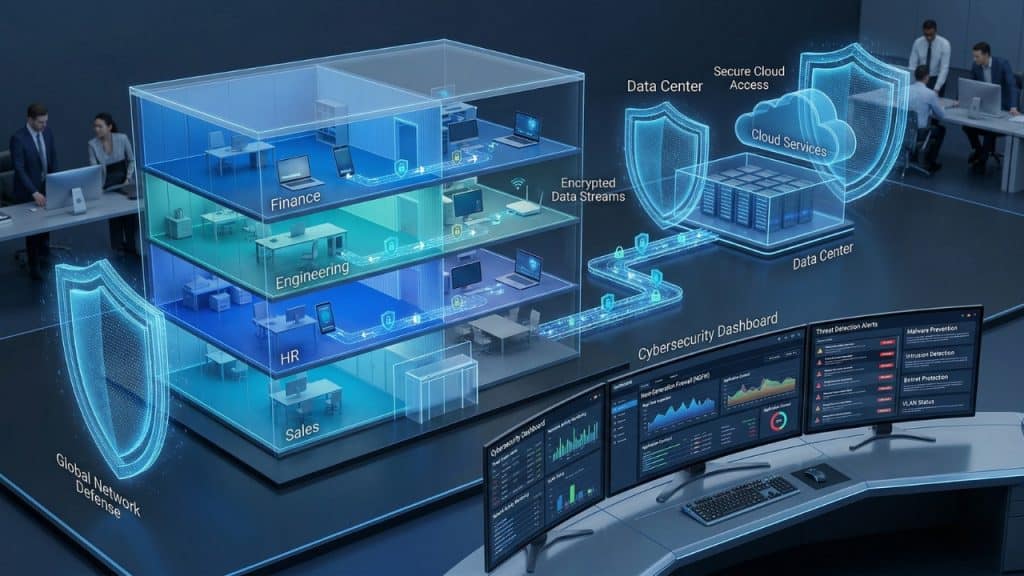

Your network is the infrastructure through which every bit of data your business generates, stores, and communicates travels. It connects your employees to each other, to your cloud services, to your customers, and to the internet. It is also the infrastructure through which attackers move when they compromise a single device and attempt to reach every other system you have.
Understanding network security fundamentals — not at an engineering level, but at a decision-making level — equips business owners and managers to make informed investments, ask the right questions of their IT team or MSP, and recognize when their network environment is falling short of acceptable standards.
What Is Business Network Security?
Network security is the set of technologies, configurations, and practices that control access to and protect the data traveling across a company’s network infrastructure. A business network includes the physical layer (cables, switches, wireless access points), the perimeter layer (firewall, router, DMZ), the internal segmentation layer (VLANs, access control lists), the wireless layer (Wi-Fi networks), and the monitoring layer (intrusion detection, traffic analysis, logging).
Core Network Security Technologies Explained
Next-Generation Firewall (NGFW)
A next-generation firewall is the primary gateway between your internal network and the internet. Unlike traditional firewalls that filter traffic based only on IP addresses and ports, NGFWs inspect the content of network traffic (deep packet inspection), identify applications regardless of port (application awareness), apply user-based policies (identity awareness), and include integrated intrusion prevention systems (IPS). Business-grade NGFW vendors appropriate for SMBs include Cisco Meraki, Fortinet FortiGate, Palo Alto Networks, and Sophos XGS series.
Network Segmentation and VLANs
Network segmentation divides a flat network into multiple isolated zones (VLANs — Virtual Local Area Networks), with controlled access between zones defined by firewall rules. Standard SMB segmentation separates: corporate workstations (employee devices), servers and infrastructure, guest Wi-Fi (internet access only, no access to corporate resources), point-of-sale systems (PCI DSS isolation requirement), IoT devices (smart TVs, cameras, HVAC systems), and management interfaces (network devices, servers). Segmentation limits the lateral movement potential of any compromised device.
Wireless Security
Wi-Fi networks require specific security controls: WPA3 (or WPA2-Enterprise minimum) encryption, SSID separation between corporate and guest networks, corporate Wi-Fi authentication using certificates or RADIUS (not shared passwords), automatic disconnect for inactive sessions, and wireless intrusion detection to identify rogue access points. Default Wi-Fi configurations from consumer equipment are insufficient for business environments.
Intrusion Detection and Prevention Systems (IDS/IPS)
Intrusion Detection Systems (IDS) monitor network traffic for patterns that match known attack signatures and anomalies that indicate compromise. Intrusion Prevention Systems (IPS) take this a step further by automatically blocking detected threats. Most business-grade NGFWs include integrated IPS capabilities. Log all IDS/IPS alerts and review them regularly — or have your MSP review them as part of managed security services.
DNS Filtering
DNS filtering intercepts DNS queries (the process by which your network translates domain names to IP addresses) and blocks connections to malicious, phishing, and inappropriate domains before any traffic is transmitted. DNS filtering stops a significant percentage of malware, phishing, and command-and-control communications at the DNS layer — before the malicious content is delivered. Leading SMB DNS filtering platforms include Cisco Umbrella, Cloudflare Gateway, and DNSFilter.
Network Security Architecture: SMB Reference Design
| Network Zone | Devices | Access Policy | Security Controls |
| Internet (Untrusted) | All external traffic | Firewall-filtered only | NGFW, IPS, DDoS protection |
| DMZ | Web servers, email gateway | Limited inbound, controlled outbound | Strict firewall rules, WAF |
| Corporate LAN | Workstations, laptops | Internet + server access | EDR, DNS filter, NAC |
| Server VLAN | File servers, application servers | Workstation access controlled | Strict ACL, monitoring |
| Management VLAN | Firewalls, switches, APs | Admin only, MFA required | Strict ACL, PAM |
| IoT VLAN | Smart devices, cameras, HVAC | Internet only, no LAN access | DNS filter, firmware monitoring |
| Guest Wi-Fi | Visitor devices | Internet only | Captive portal, rate limiting |
| POS VLAN (retail) | Payment terminals | Processor only | Strict whitelist firewall rules |
Common SMB Network Security Failures
- Using consumer-grade routers (Netgear, Linksys, TP-Link home models) for business environments. These devices lack business security features, receive infrequent firmware updates, and do not support proper network segmentation.
- Flat network architecture with no segmentation — all devices on the same network segment, allowing any compromised device to communicate directly with all others.
- Default credentials left on network devices. Routers, switches, and wireless access points shipped with default admin passwords that are publicly documented and actively scanned for by attackers.
- No network monitoring or logging. Without traffic logs and alerts, intrusions go undetected for months — the 212-day average detection time cited above applies directly to unmonitored environments.
- Outdated network device firmware. Network devices (firewalls, routers, switches, wireless controllers) require regular firmware updates to address security vulnerabilities.
- Shared Wi-Fi passwords across corporate and guest networks, allowing guest devices access to corporate resources.
| Expert Insight from PCRiver.com The most dangerous network is not the one with sophisticated attackers — it is the one that nobody is watching. A next-generation firewall that generates logs nobody reviews, an IDS that fires alerts nobody acts on, and a network that has never been segmented create the ideal conditions for a long, undetected breach. Network security is not just about the tools — it is about the monitoring and response processes that make those tools effective. |
Frequently Asked Questions: Business Network Security
Q: What is the difference between a router and a firewall?
A router directs traffic between networks — it determines the path that data takes from your network to the internet and back. A firewall controls which traffic is allowed to pass between networks based on defined security rules. Consumer routers often include basic firewall functionality, but business environments require dedicated next-generation firewalls that provide deep packet inspection, application awareness, intrusion prevention, and granular access control that consumer routers cannot provide.
Q: How often should network security be reviewed?
A formal network security review should occur at minimum annually, and additionally whenever there is a significant change: adding a new office location, implementing remote work infrastructure, adopting significant new cloud services, or following a security incident. Continuous monitoring — available through managed security services and SIEM platforms — provides ongoing visibility between formal reviews.
Q: What is a network penetration test and does my business need one?
A penetration test (pen test) is a controlled simulation of a real cyberattack conducted by a qualified security professional to identify exploitable vulnerabilities in your network before real attackers do. SMBs in regulated industries (healthcare, finance) should conduct annual penetration tests as a compliance best practice. Other SMBs benefit from penetration testing every 1 to 2 years, particularly after significant infrastructure changes. SMB penetration tests typically cost $3,000 to $15,000 depending on scope.
Q: Is SD-WAN appropriate for small businesses?
SD-WAN (Software-Defined Wide Area Network) provides intelligent routing, link bonding, and centralized management for businesses with multiple locations. For single-location SMBs, traditional NGFW architecture is simpler and sufficient. For businesses with two or more office locations, SD-WAN provides significant benefits: improved performance, simplified management, cost savings over traditional MPLS circuits, and integrated security features. Leading SMB SD-WAN platforms include Cisco Meraki, Fortinet, and Cradlepoint.
Conclusion: Network Security Is the Foundation of Business Cybersecurity
Your network is the infrastructure through which all other security controls operate. A well-designed, properly segmented, actively monitored network dramatically limits the impact of any security incident. An unsegmented, unmonitored, consumer-grade network turns any small breach into a catastrophic one.
| Next Steps PCRiver.com provides network security design, firewall management, and continuous network monitoring as part of managed IT services. Contact us for a complimentary network security assessment. |
Sources and References
- IBM Cost of a Data Breach 2024 — ibm.com/security
- Cisco Annual Cybersecurity Report 2024 — cisco.com
- NIST Network Security Guidelines SP 800-41 — nist.gov
- CIS Network Security Controls v8 — cisecurity.org
| Quick Summary: Business Network Security |
| Network security encompasses the technologies, policies, and practices that protect a company’s network infrastructure — including servers, workstations, network devices, and data in transit — from unauthorized access, misuse, and attacks. |
| The average time to detect a network intrusion in a small business environment is 212 days, giving attackers nearly seven months to operate undetected before discovery (IBM Cost of a Data Breach 2024). |
| Consumer-grade routers, default network configurations, and flat (unsegmented) networks are the three most common network security failures in SMB environments. |
| A properly secured business network requires: next-generation firewall, network segmentation, DNS filtering, intrusion detection, encrypted wireless, and continuous monitoring. |
| Sources: IBM Cost of a Data Breach 2024, Cisco Annual Cybersecurity Report 2024, NIST Network Security Guidelines SP 800-41. |